

How to Know if Microsoft Teams is recording
Teams displays a notification to all attendees on the Teams desktop, web, and mobile apps, as well as to those who joined via phone, when a meeting recording begins, You may or may not take everyone's consent before recording them. Before you begin, be sure you are aware of the rules. Moreover, notifications allow you to Know If Microsoft Teams is recording or not. If you wish to mute notification while attending a meeting in Microsoft teams, you can do it.
Know If Microsoft Teams is recording in 3 steps:
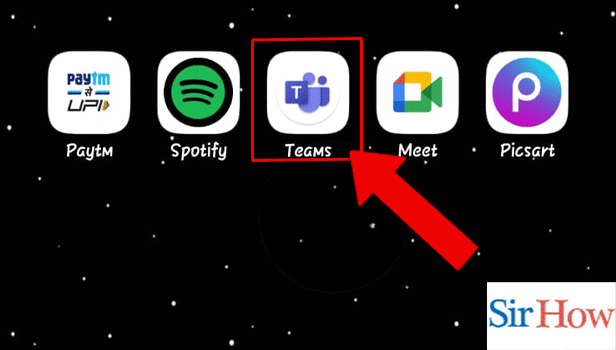
Step 1: Open the Microsoft Teams App: Firstly, look for the Microsoft Teams application on your mobile.
- It may occur that the application you are looking for is not present on your device, then you download it from the Playstore.
- See the given image indicating the Microsoft Teams application.
- You should have internet to run this application smoothly.
Step 2: Tap on the Screen: Secondly, after you open the application you have to go on to that particular meeting. When joined, you have to tap on screen.
- Make sure you click on the screen.
- Prefer the below image as a reference.

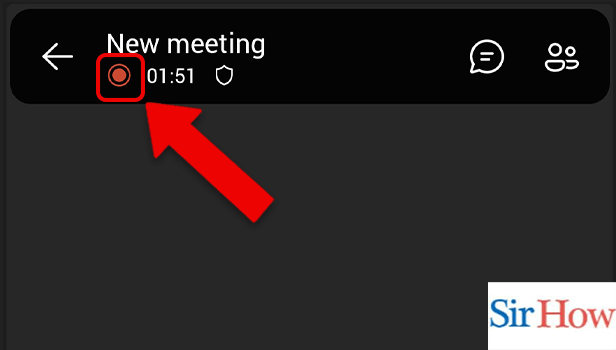
Step 3: Red icon indicates Recording: Lastly, you can see the red indicator.
- You have to notice on top of your screen.
- A red dot marker will be seen besides the timings.
- Observe the below image where a arrow is pointing the indicator place.
Following the necessary steps mentioned above, you could know if Microsoft Teams is recording or not. The steps are easy to follow and understand.
FAQs
Are all meetings held in Microsoft Teams recorded?
Soon, the video conferencing (opens in new tab) service will include a feature that has been oddly missing: it will automatically record all Microsoft Teams meetings at the beginning of a session. The admin can lock the meeting in Microsoft Teams .
Do Microsoft Teams live events record themselves automatically?
Always take notes Users' live events are always captured on video. After the event is over, participants can watch it online and event team members can download the recording. Avoid recording Users that never produce live events that are recorded. The Organizer has the option to record. Users can choose whether or not to record the live event.
How long are recordings stored on Microsoft Teams?
The meeting recording file will no longer be accessible after 21 days. For a period of 21 days following the meeting, meeting recordings will be accessible in the meeting chat. The meeting records won't be accessible for download from the chat after 21 days.
How is the MS team Recording deleted?
Remove a Teams meeting recording through these steps:
- Firstly, go to the recording in the chat history in Teams.
- Secondly, select 'More options'.
- Then, open Microsoft stream.
- Click on Microsoft stream portal.
- Delete it.
What you do on Teams is visible to the host, right?
If they know the password to the account you use for Microsoft Teams, they can view your activities there. The super admin has access to every account in the organization's network if the account was provided by the school or organisation. Additionally, host can praise somebody in Microsoft Teams.
Hence, this are the related FAQs provided by which you can get an idea of the topic. The above mentioned steps are easy to follow. If any question arises on your mind, you can ask that in the comment section. Leave a feedback there.